

Model Management
Prediction Guard supports three types of models, all accessible through the Models section of your system’s management dashboard. Regardless of type, every model inherits your AI system’s governance policies, safeguards, and integrations automatically.
Private Models
Private models run within your own infrastructure — behind your firewall or within your VPC. You have full control over deployment and data residency.
All models in the Prediction Guard catalog are curated, scanned, and tested before being made available. This means every model you deploy has been evaluated for safety, security vulnerabilities, and performance characteristics — so you’re not pulling arbitrary weights from a public registry.
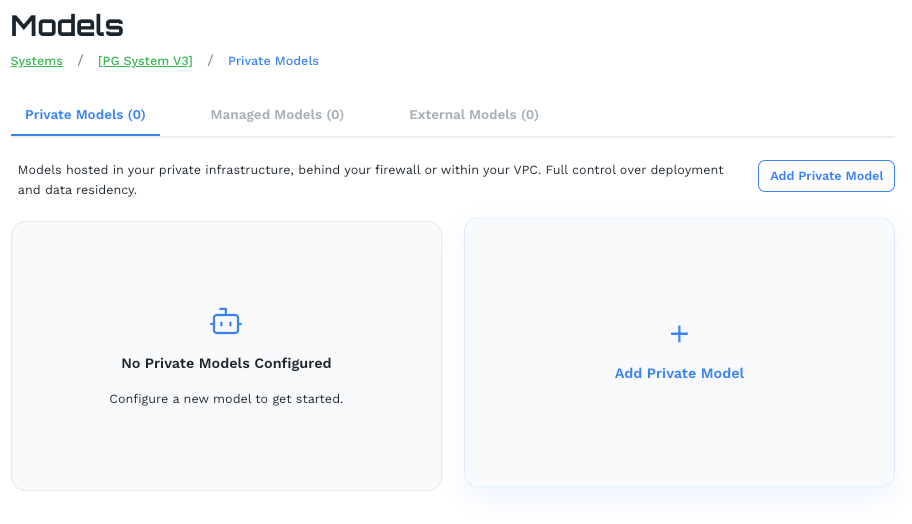
Click Add Private Model to open the model catalog.
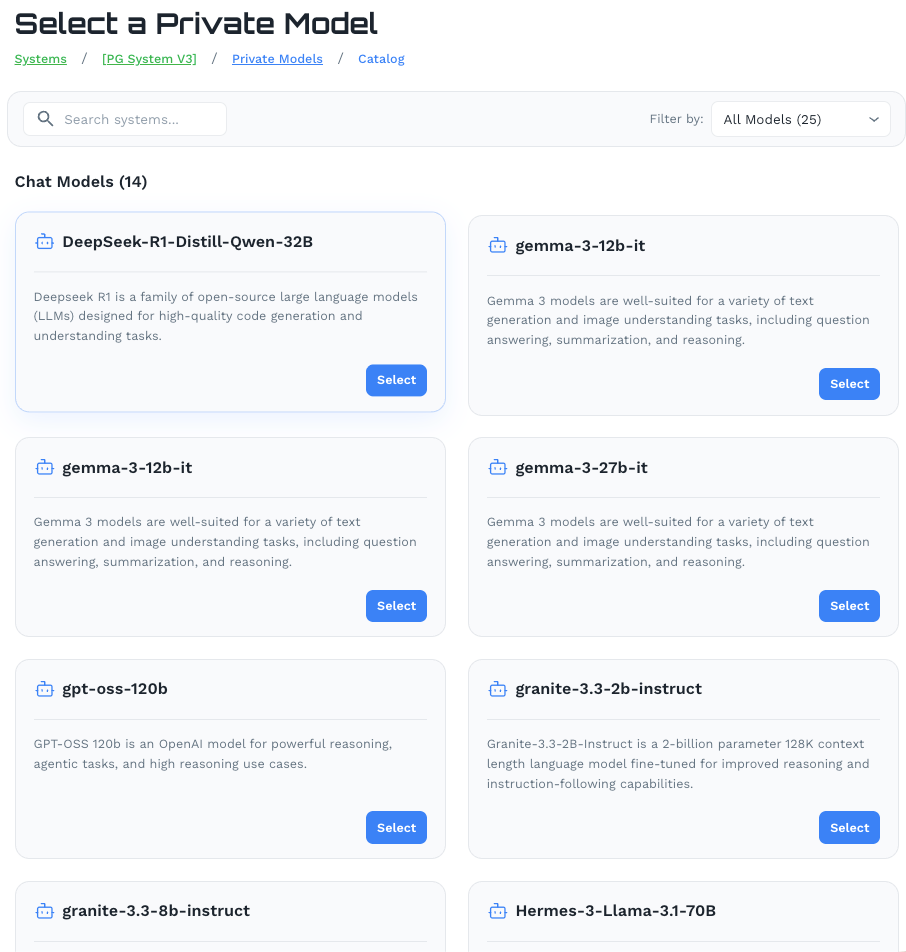
Browse the catalog and select a model. The catalog is organized by type (Chat Models, Embedding Models, etc.) and each entry includes a description of the model’s intended use. Then configure the model across two tabs:
General Settings
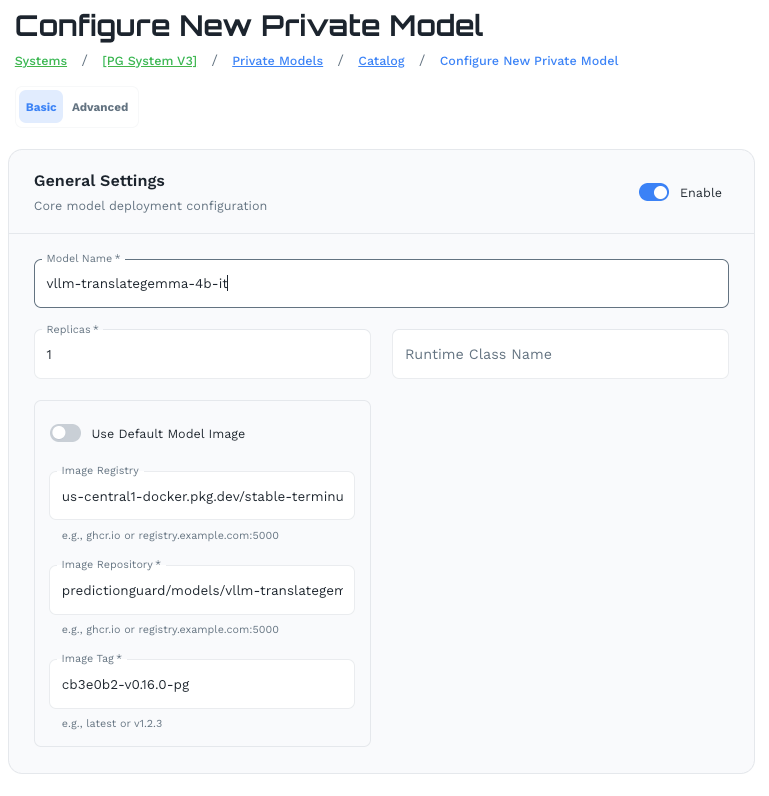
- Model Name: Identifier for this model deployment
- Replicas: Number of instances to run
- Runtime Class Name: Kubernetes runtime class (optional)
- Model Image: Use the default Prediction Guard image or provide a custom registry, repository, and tag
Model Parameters
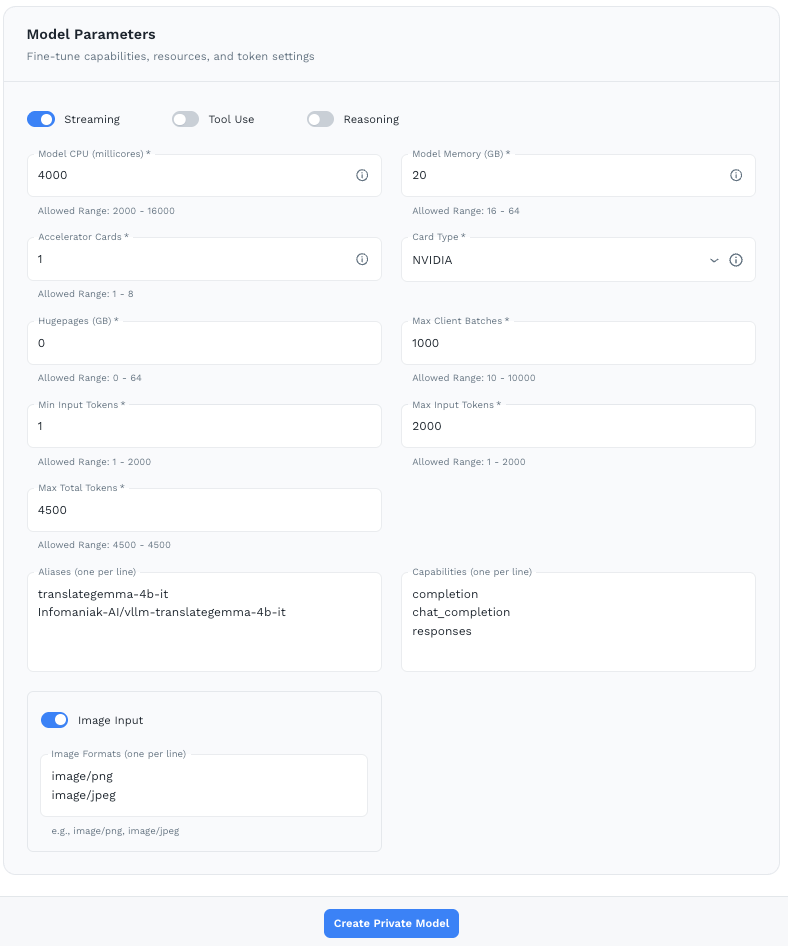
Make sure your node is sized appropriately for the model you’ve selected before setting these values.
- Model CPU (millicores) — Allowed range: 2000–16000
- Model Memory (GB) — Allowed range: 16–64
- Accelerator Cards — Number of GPUs (1–8)
- Card Type — GPU type (e.g. NVIDIA)
- Hugepages (GB) — Memory optimization (0–64)
- Max Client Batches — Max concurrent client batches (10–10000)
- Min / Max Input Tokens — Token range for inputs (1–2000)
- Max Total Tokens — Maximum total tokens per request
- Aliases — Alternative names for this model (one per line)
- Capabilities — e.g.
completion,chat_completion,responses - Streaming / Tool Use / Reasoning — Toggle supported capabilities
- Image Input — Enable and specify accepted image formats
Click Create Private Model to deploy.
Managed Models
Managed Models are hosted by Prediction Guard in secure, SOC 2 compliant managed cloud infrastructure. No infrastructure setup or configuration is required on your end.

Managed Models require an additional Managed Models license. Contact your Prediction Guard account team to enable this.
Click Add Managed Model to select from the available managed model catalog. Once added, the model card shows:
- Model Settings: Streaming, Tools, and Reasoning capabilities
- Capabilities: Supported API capabilities (e.g.
COMPLETION,CHAT_COMPLETION,TOKENIZE,DETOKENIZE,RESPONSES,EMBEDDING)
Managed models are immediately available via your system’s API endpoint with no deployment wait time.
External Models
External Models connect your Prediction Guard system to models hosted by third-party providers — such as OpenAI, Anthropic, Google, AWS, Azure, and GCP — through their native APIs. No infrastructure setup is required.
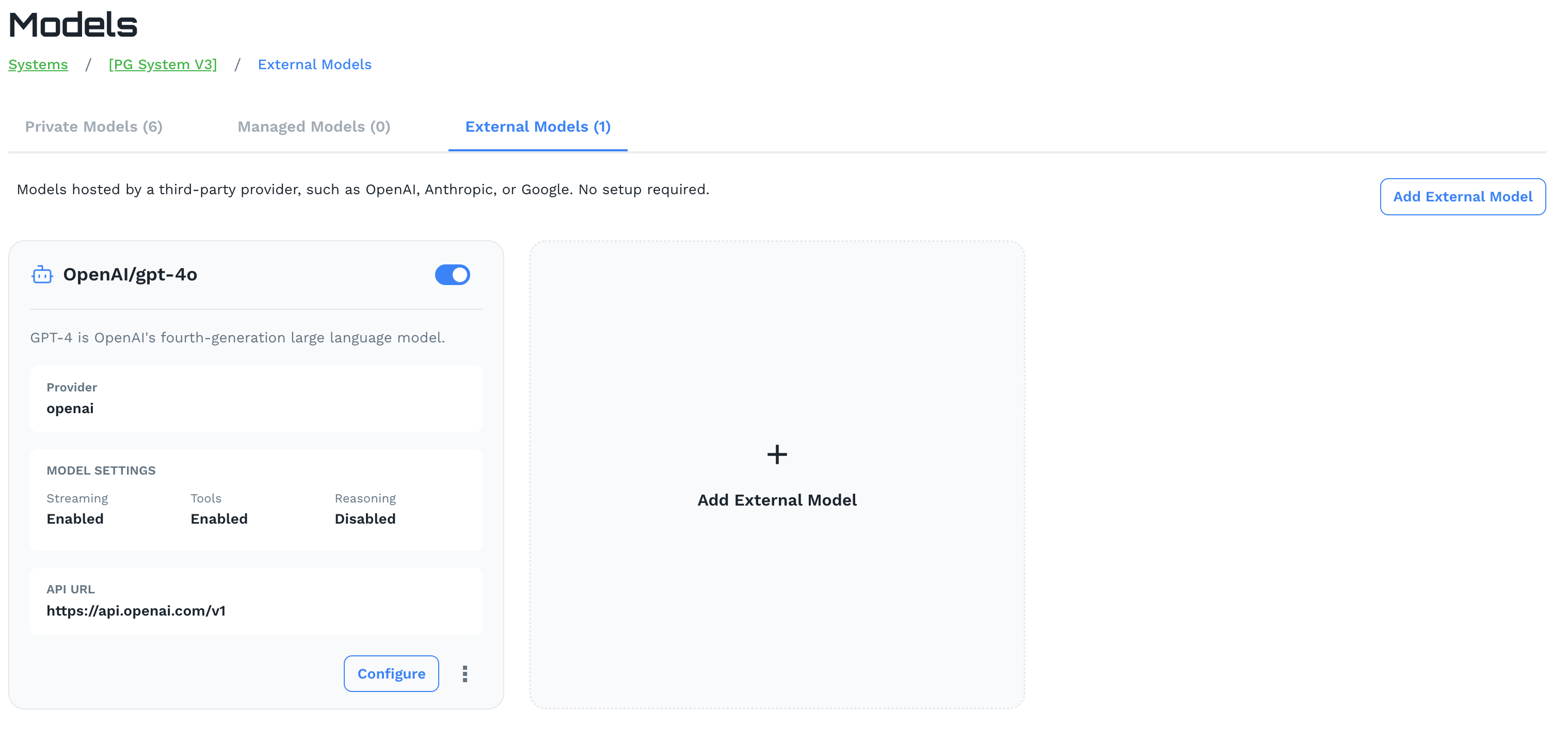
Click Add External Model to configure a connection. Each external model card displays:
- Provider: The external provider (e.g.
openai,anthropic,google) - Model Settings: Streaming, Tools, and Reasoning capabilities
- API URL: The provider’s API endpoint being used
External models fully inherit your AI system’s governance policies, prompt injection protection, PII safeguards, toxicity filtering, and MCP integrations — giving you centralized control over third-party models without any additional configuration.
Use Configure on any external model card to update credentials or settings.