

Quick Start
Manage and control your AI security by composing sovereign AI Systems that contain internal and external models, MCP servers, and connections to applications.
Govern, monitor and audit your AI systems by applying AI governance policies that aligns to NIST, OWASP and OMB out of the box.
Deploy AI agents that automatically inherit your system-wide governance and integrate directly with your sovereign AI systems.
An AI System is an abstraction that consolidates your AI models, MCP servers, tool connections, and agent integrations into a single unit. Prediction Guard’s control plane, which is self-hosted in your infrastructure, applies your sovereign configuration of access, auditing, governance, and monitoring to each AI system.
AI System Deployment Options
Prediction Guard supports flexible AI System deployment across different environments:
- On-Premises: Deploy in your own data center with Kubernetes or single-node binary
- Cloud: Deploy on AWS, Azure, or Google Cloud with managed Kubernetes
- Air-Gapped: Deploy in isolated environments with offline packages
Platform Capabilities
Your deployed Prediction Guard platform provides:
- Model Management: Deploy private models, connect to Prediction Guard’s managed models, or integrate external models such as Azure Foundry, AWS Bedrock, Google Vertex, OpenAI, Anthropic and more
- System Management: Create and manage multiple systems across environments
- Security & Compliance: Built-in security scanning, audit logs, and compliance features
- API Management: Create and manage API keys with granular permissions
- Integrations: Connect your AI systems to applications, knowledge bases and MCP servers that will be inherited by the agents that you deploy
- Governance: Apply AI governance policies across your systems that aligns with NIST, OWASP and OMB standards
- Monitoring: Real-time monitoring and alerting for your AI infrastructure
Getting Started
Create your first sovereign AI system in the Admin Console
Start by creating your system in the Admin Console:
-
Navigate to your Admin Console (e.g. admin.predictionguard.com) and log in
-
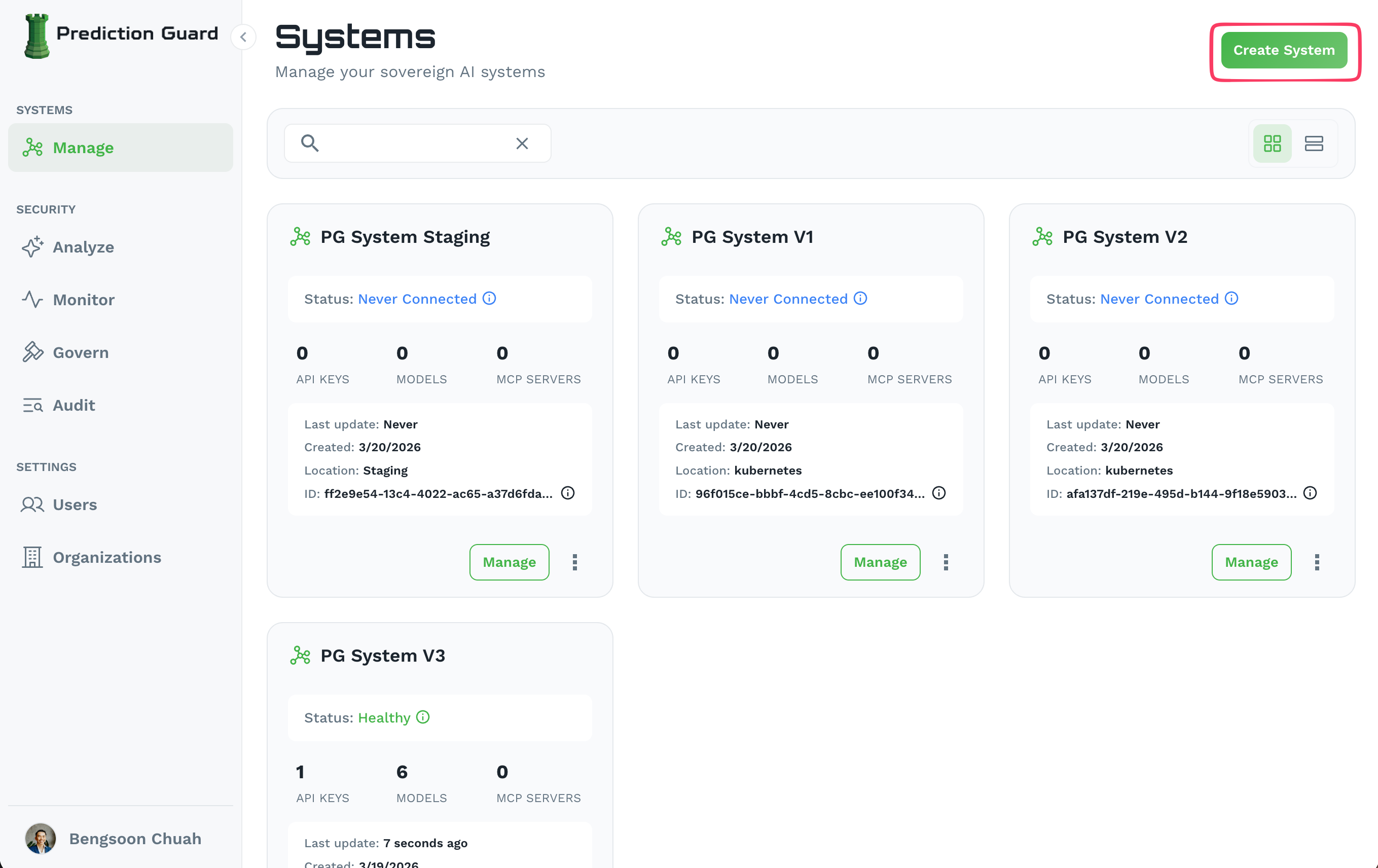
Go to Systems → Manage and click “Create System” in the top-right corner
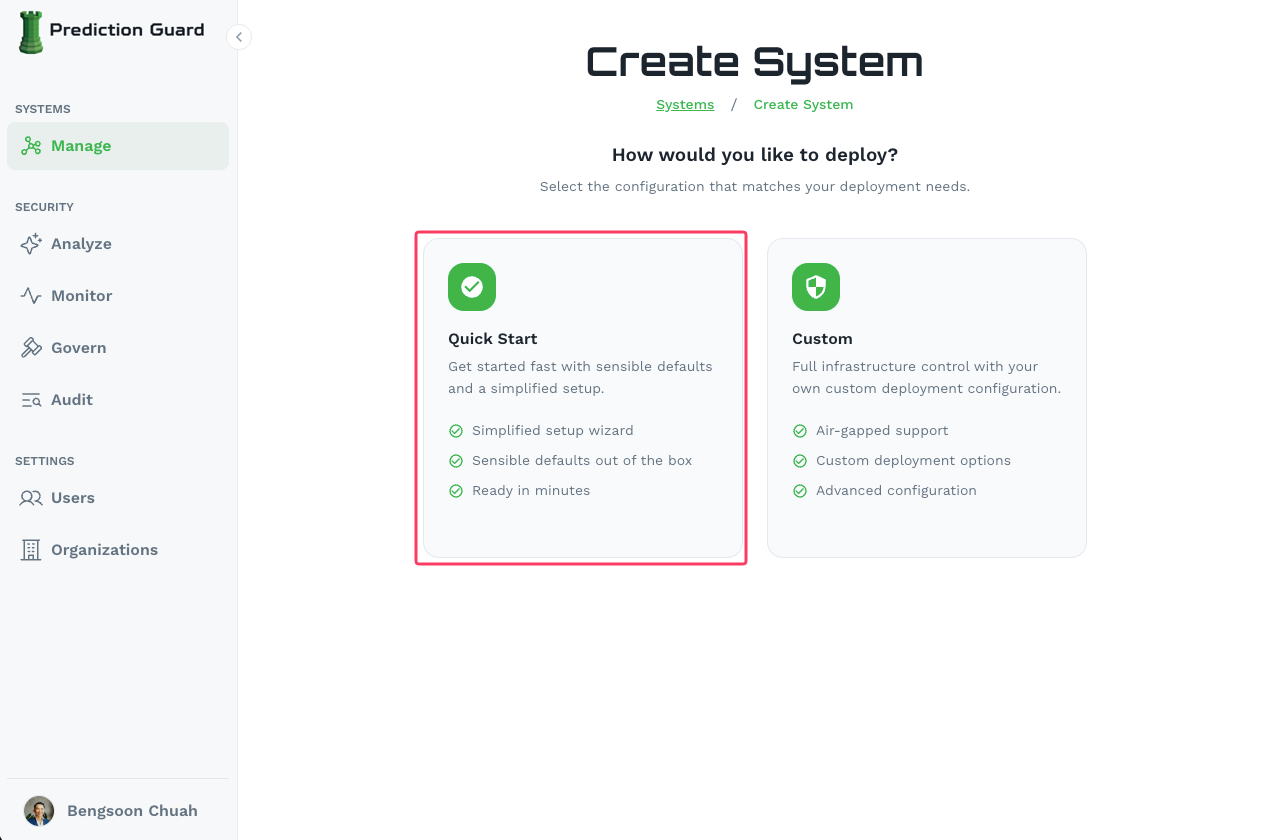
- Select “Quick Start” for a simplified setup with sensible defaults
- Fill in your system details:
- System Name: A unique name for your system (e.g.
production,staging) - Public API Endpoint: Enable this if you need access from outside your Kubernetes deployment, and add your TLS hostname(s)
- System Name: A unique name for your system (e.g.
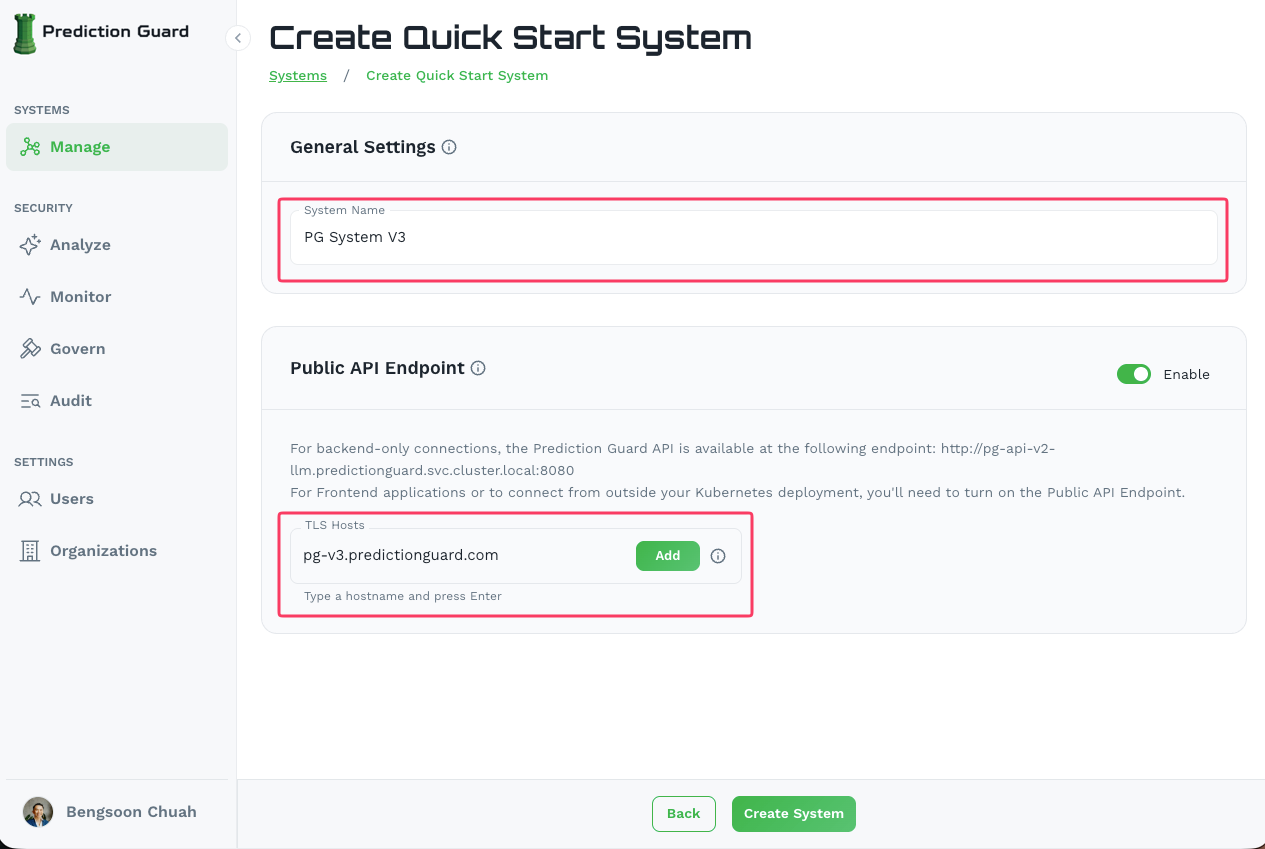
- Click “Create System” to create your AI system with default settings
Choose your deployment method
Prediction Guard can be deployed anywhere that fits your needs. Choose the deployment method that works best for your environment:
On-Premises
Deploy in your own data center:
- Kubernetes Cluster - Full Kubernetes deployment
- Zero Dependency Binary - Single node binary installation
Cloud Deployment
Deploy on major cloud providers:
- AWS Deployment - Amazon Web Services
- Azure Deployment - Microsoft Azure
- GCP Deployment - Google Cloud Platform
Air Gapped
Deploy in isolated environments. Note that air-gapped deployment requires Custom configuration instead of Quick Start during system creation:
- Air Gapped Deployment - Offline deployment guide
Deploy your AI system
Follow the specific deployment guide for your chosen environment. When ready, click the Deploy button on your system in the Admin Console to get the installation command.
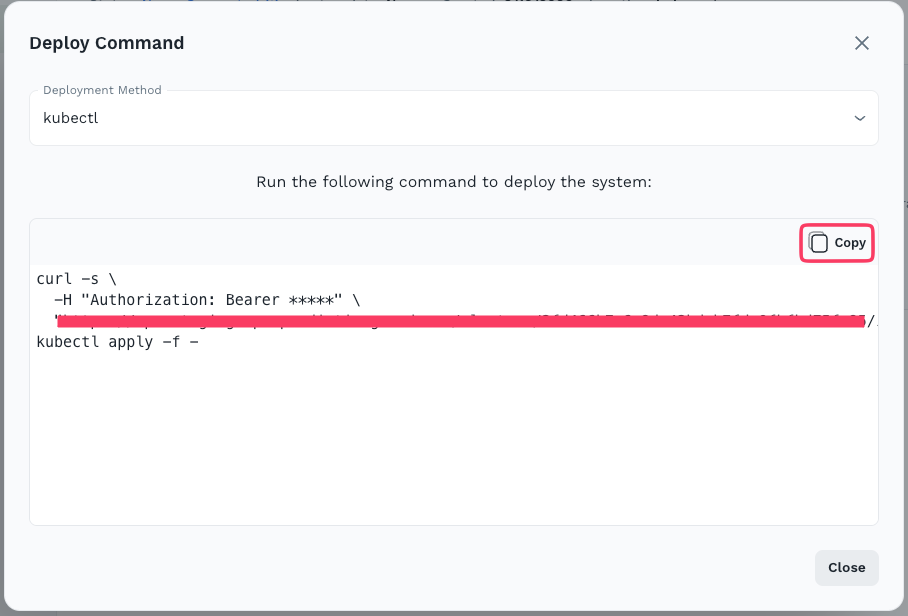
The deployment process will:
- Generate an installation command scoped to your system from the Admin Console
- Run the command on a machine with
kubectlaccess to your cluster - Bootstrap your system — Prediction Guard services will start up in the
predictionguardnamespace
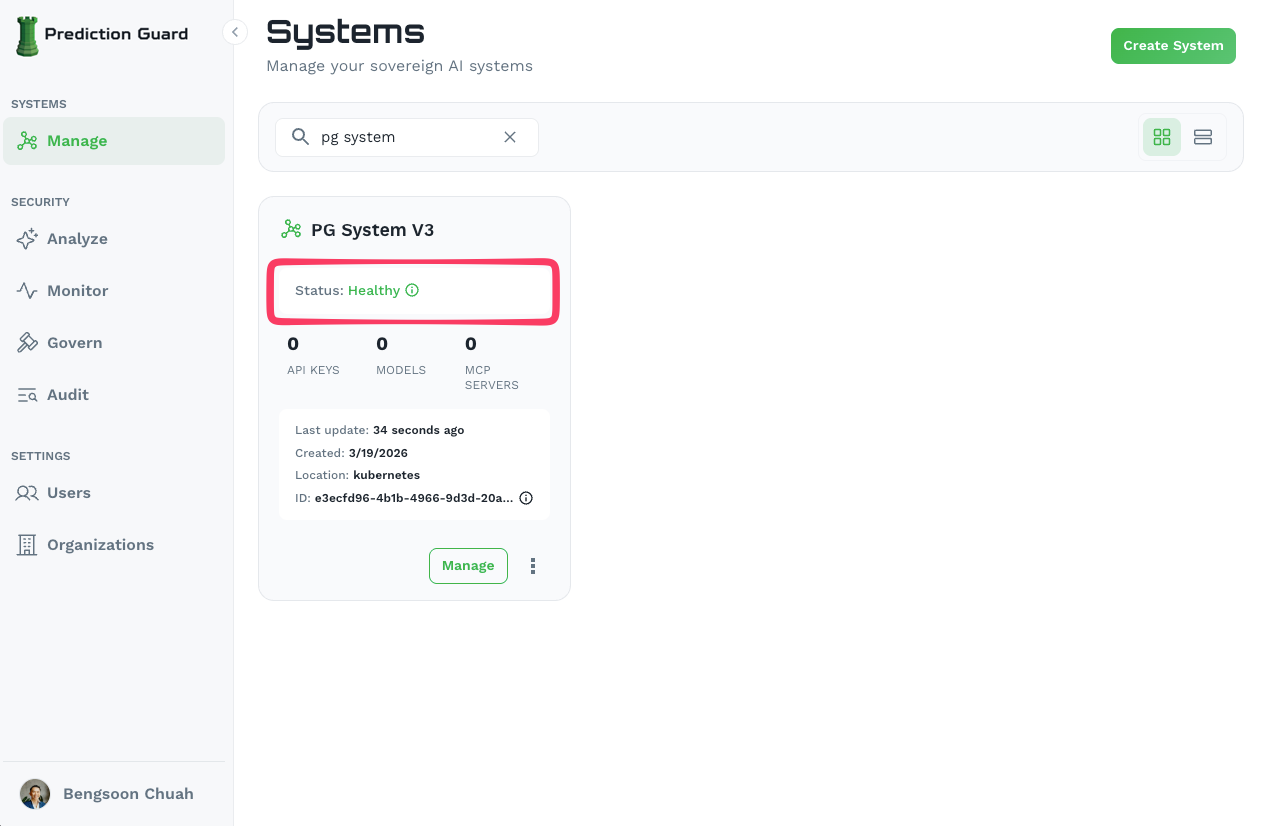 4. Verify the deployment — your system will show as Healthy in the Admin Console once complete
Connect an AI model to your system
Once your system is healthy, connect AI models to start building:
- External or Managed Models — Connect to external models (e.g. Azure Foundry, AWS Bedrock, Google Vertex, OpenAI, Anthropic, and more) or Prediction Guard’s managed models (if available) with no additional infrastructure required.
- Private Models — If you need models running on your own infrastructure, deploy and connect them as private models.
Next Steps
Once your system is deployed and healthy, you can configure it further:
- Deploy models — Add private, managed, or external models to your system. See the Model Management guide for details on all three model types.
- Set up governance — Apply AI governance policies aligned with NIST, OWASP, and OMB standards. See the Governance section of the Admin Console guide.
- Create API keys — Set up API keys with appropriate permissions for your applications. See the API Keys guide.
- Explore the Admin Console — Manage systems, monitor activity, and review audit logs. See the full Admin Console overview.